lim4d Casino Mobile App
We at lim4d built our platform around mobile-first access because most of our users bet, play, and manage their accounts on Android phones or through iOS browsers. Your experience on lim4d starts with downloading our Android APK, accessing our web app through Safari or Chrome on iPhone, or logging in via desktop — all three paths sync your account data in real time.

- Update
- SHA256 Match
- LoginOTP Verification
Mobile betting on lim4d means you can place live bets on Liga 1, Piala AFF, Champions League, and Premier League matches from anywhere. You deposit via DANA, e-wallet, mobile banking, local payment, online payment, e-wallet, mobile banking, local payment, online payment, or e-wallet, and your balance updates instantly. Our app handles account verification (KYC), withdrawal requests, and push notifications so you stay informed without constant app-checking.
This guide walks you through installing lim4d on Android, accessing it on iOS, and troubleshooting common setup issues. We also explain how our app protects your data and what permissions we request.
Installation Paths for lim4d
Android APK Download
We distribute our lim4d Android app as an APK file directly from our website. You download the APK to your phone, enable installation from unknown sources in your device settings, and tap the file to install. This method gives you the fastest app experience: offline caching, push notifications, and direct access to live-dealer tables and slot games. Our Android app works on devices running Android 7.0 or later.
iOS Browser Access
iPhone and iPad users access lim4d through Safari or Chrome by visiting our website. We optimized our web app for iOS so it loads quickly, handles touch gestures smoothly, and lets you place bets, deposit, and withdraw without installing anything. You can add lim4d to your home screen as a web app shortcut for faster access. iOS 12 and later are supported.
Web Browser on Desktop
Desktop users on Windows, macOS, or Linux access lim4d through any modern browser. The desktop experience mirrors the mobile web app but with larger screens and keyboard input. Your account, balance, and betting history sync across all devices — log in on your phone, then log in on your desktop and see the same account state.

Installation overview
- Android: download APK from lim4d website, enable unknown sources, install.
- iOS: open Safari, visit lim4d website, add to home screen as web app.
- Desktop: log in via any browser on Windows, macOS, or Linux.
- All devices sync your account, balance, and betting history in real time.
- Push notifications available on Android app only.
Setting Up Your lim4d Account on Mobile
-
Download and install lim4d
On Android, download the APK file from our website and tap to install. On iOS, open Safari and visit lim4d.bet, then tap Add to Home Screen.
-
Create your account
Enter your username, email, password, and mobile phone number. We send a verification code to your email — enter it to confirm.
-
Complete KYC verification
Upload a photo of your ID and a selfie. Our system verifies your identity within minutes. You can then deposit and withdraw.
-
Make your first deposit
Choose your payment method: DANA, e-wallet, mobile banking, local payment, online payment, e-wallet, or bank transfer. Your balance appears instantly on lim4d.
App vs. Browser: Which Should You Use?
Our lim4d Android app offers offline caching, so you can view your betting history and account balance even without internet. Push notifications alert you when a match starts, a live-dealer table opens, or your withdrawal is processed. The app also loads faster than the browser because it stores game assets locally. On iOS, the web app is nearly as fast as a native app but does not support offline access or push notifications. Choose the app on Android for the best experience; use the browser on iOS or when you prefer not to install software.
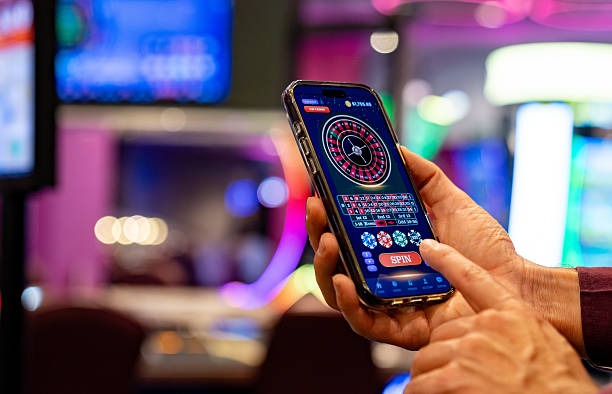
Device Compatibility
Our lim4d Android app requires Android 7.0 or later. Most phones sold in the last five years meet this requirement. On iOS, we support Safari and Chrome on iOS 12 and later. If your device is older, you can still access lim4d through a web browser on desktop. We test our app on common devices in Jakarta, Surabaya, Bandung, and Medan to ensure smooth performance across different phone models and network speeds.
Troubleshooting Installation Issues
If you see a warning about unknown sources when installing the Android APK, go to Settings → Apps & Notifications → Special app access → Install unknown apps, find your browser or file manager, and toggle the permission on. Some phones also show a certificate warning — this is normal for APK files distributed outside the Google Play Store. Tap Install anyway to proceed. If the app crashes after installation, clear the app cache (Settings → Apps → lim4d → Storage → Clear Cache) and restart. On iOS, if the web app does not load, clear your Safari cache (Settings → Safari → Clear History and Website Data) and try again.
Data, Permissions, and Account Security on lim4d
When you install our lim4d app, we request permission to access your phone's camera (for KYC photo upload), contacts (optional, for account recovery), and location (to verify you are in a supported jurisdiction). We do not sell or share these permissions with third parties. Your account data — username, email, ID number, and transaction history — is encrypted and stored on our secure servers. We use industry-standard SSL encryption for all communication between your phone and our servers.
Your payment information is never stored on your phone or our servers. When you deposit via DANA, e-wallet, mobile banking, local payment, online payment, e-wallet, mobile banking, local payment, online payment, or e-wallet, we route your request directly to the payment provider. You complete the transaction in their app or browser, and we receive only a confirmation that your deposit succeeded. Your withdrawal requests are reviewed within one to three business days and sent back to your original payment method.
We recommend enabling two-factor authentication (2FA) on your lim4d account if available. Change your password regularly and never share it with anyone. If you lose access to your account, use the password reset link on the login page — we send a reset code to your registered email. If you forget your email, contact our support team through the app chat.

Push Notifications and Data Usage
Our lim4d Android app sends push notifications for live-match alerts, withdrawal confirmations, and promotional updates. You can disable notifications in your phone's Settings → Apps → lim4d → Notifications. The app uses minimal data — typically under 10 MB per day for active betting. If you are on a limited data plan, use the browser version instead, which uses even less data because it does not cache assets locally.
We at lim4d are committed to keeping your mobile experience fast, secure, and compliant with local law. Our app is available only in jurisdictions where online gaming is permitted. If you have questions about whether lim4d is available in your region, check our Jurisdiction Notice or contact our support team.